
Decision Wheel
Decision maker
Can't decide what to eat or who goes first? Pick a ready made wheel or build your own, then spin.

Calculator · Android
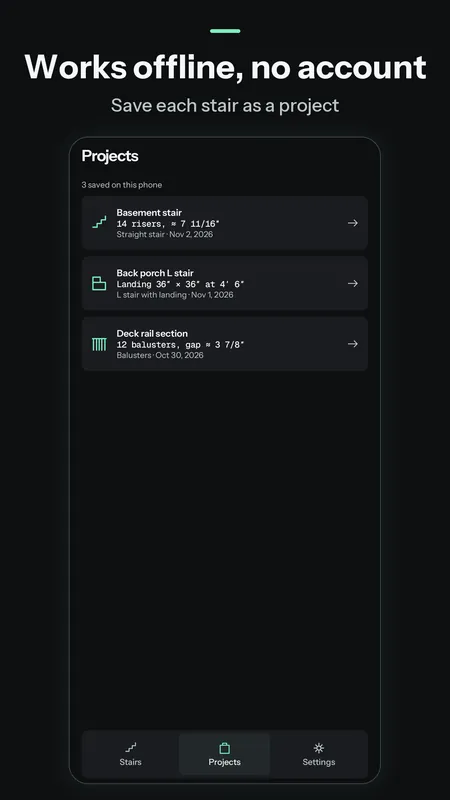
Type the total rise, the max riser height and the tread depth the way you measured them, and a side view of the stair redraws as you go. The straight stair is free, works offline and needs no account.
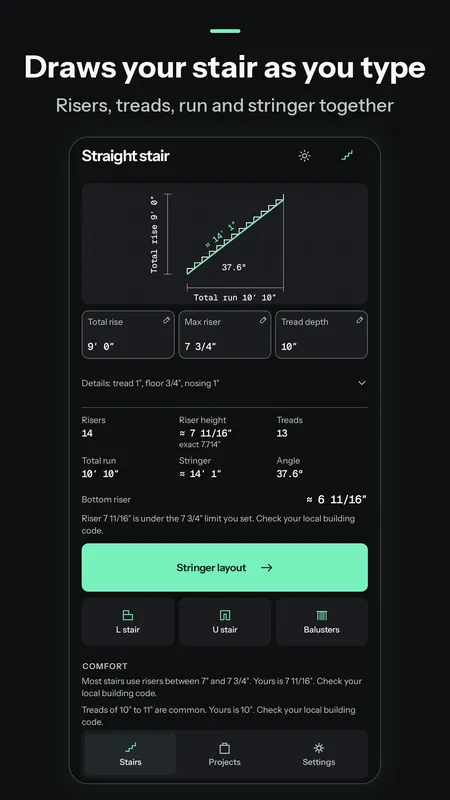
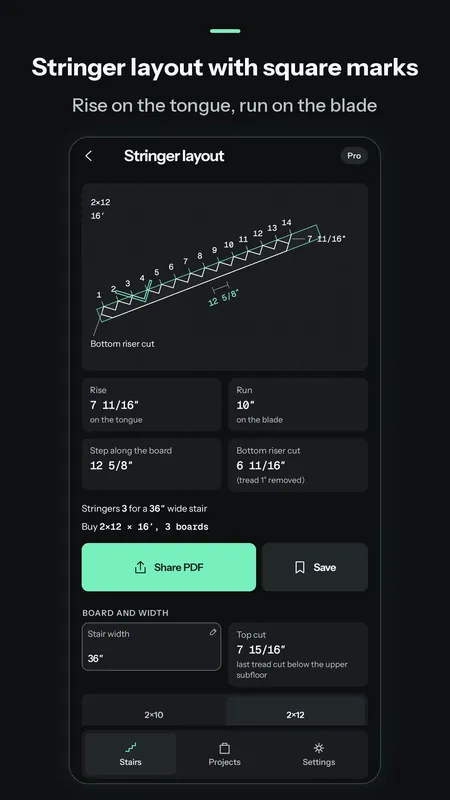
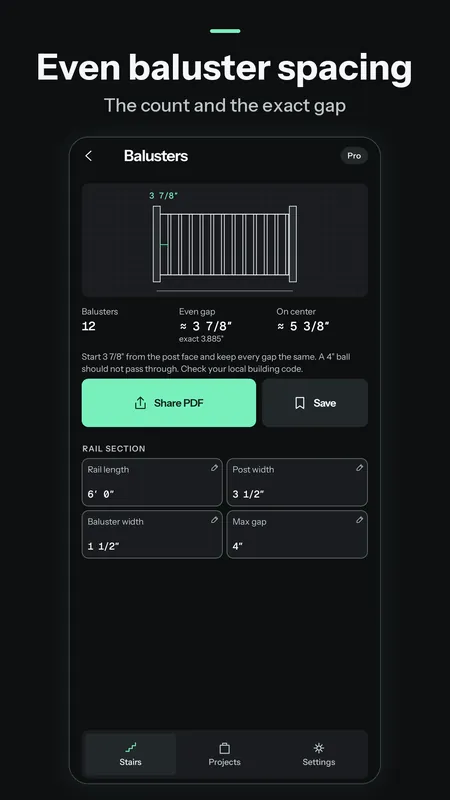
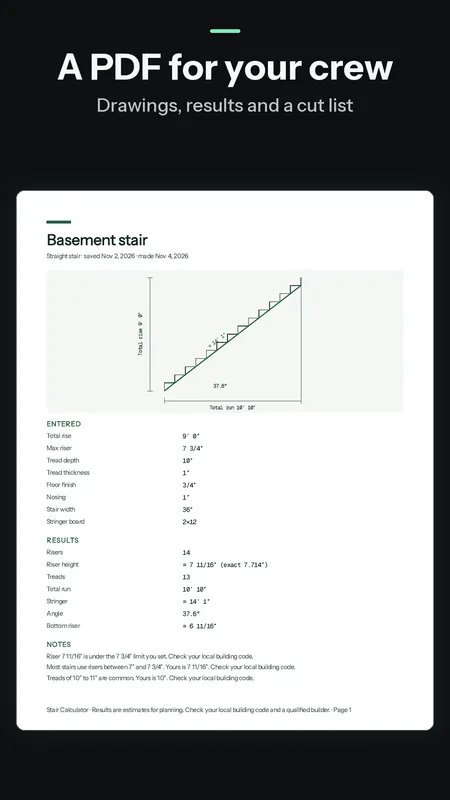
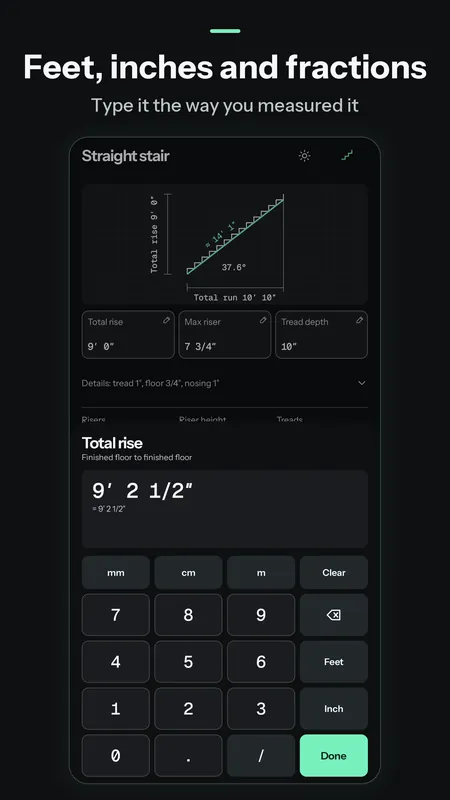
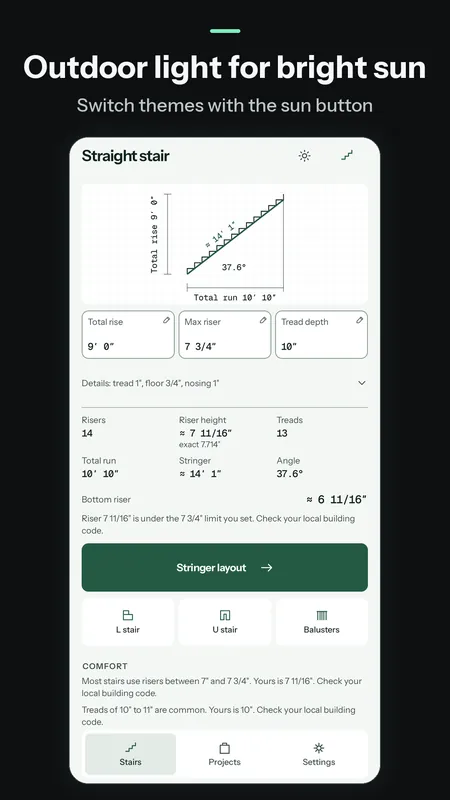
Say the rise is 9′ 0″, the max riser 7 3/4″ and the treads 10″. You get 14 risers at 7 11/16″, with the exact 7.714″ under it. That's 13 treads, a total run of 10′ 10″, a stringer of about 14′ 1″ and a 37.6° angle. The bottom riser gets cut shorter by the tread thickness, and you'll see that cut too.
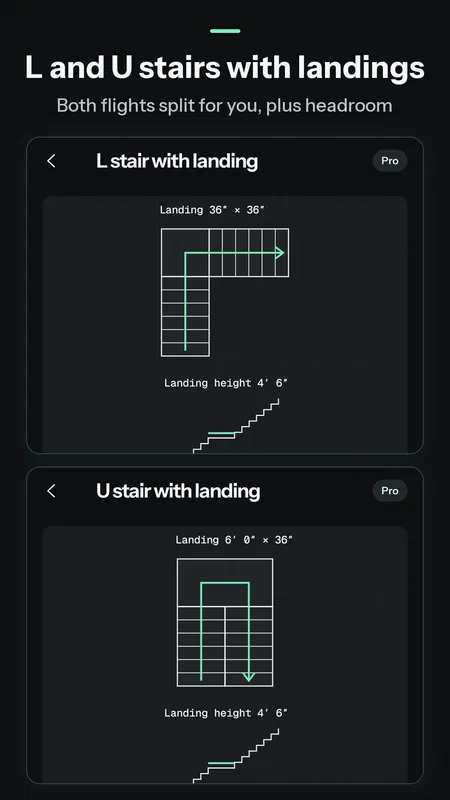
Pro also removes the ads. Every Pro screen shows a sample first, so you'll know what you're getting before you pay.
Need rafters, concrete or drywall too? That's what Construction Calculator is for. This one's just for stairs, and it goes a lot further with them.
No. The straight stair is free, and Pro is $4.99 once through Google Play. It restores on a new phone with the same Google account.
The free version shows one small banner at the bottom of the Stairs, Projects and Settings screens. It won't cover your numbers, and Pro removes it.
The notes compare your stair with the limits you set and with common US values. They're not a code approval. Check your local building code and talk to a qualified builder before you cut.
Yes. Pick mm, cm or m in Settings instead of feet and inches.
Can't decide what to eat or who goes first? Pick a ready made wheel or build your own, then spin.

Pick a week or draw an envelope, tap to save and watch the jar fill up. Do 52 weeks, 100 envelopes or your own goal.

A feet, inch and fraction calculator that keeps exact fractions. Pro adds stairs, rafters, concrete and six more tools for $6.99 once.