Decision Wheel
Decision maker
Can't decide what to eat or who goes first? Pick a ready made wheel or build your own, then spin.

Drawing app · Android
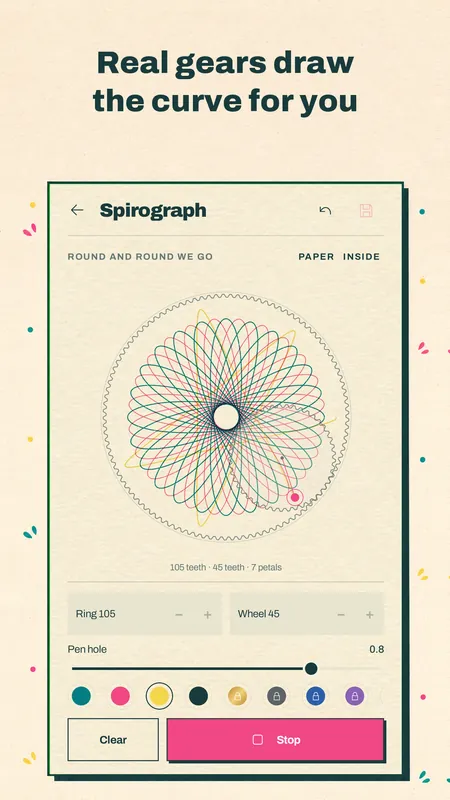
Draw one line and watch it repeat around the center of the page, again and again, until it becomes a flower. Or set a toothed wheel rolling inside a ring and let it draw a spirograph curve for you.
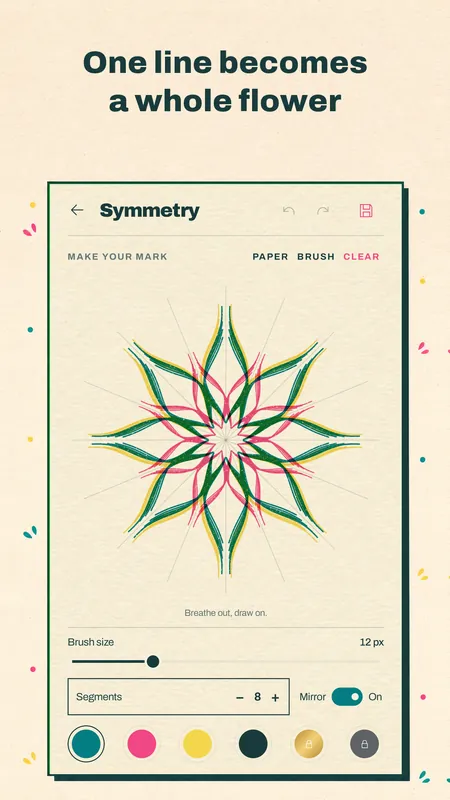
Want to try the idea before you install? The kaleidoscope drawing page runs in your browser, with the same 2 to 24 mirrors.
Pick a ring and a wheel by their number of teeth, choose a pen hole and press Draw. The wheel rolls around the ring and the pen traces the curve, just like the plastic gears you may remember. Roll inside the ring or outside it, and stack several curves in different inks on the same sheet.
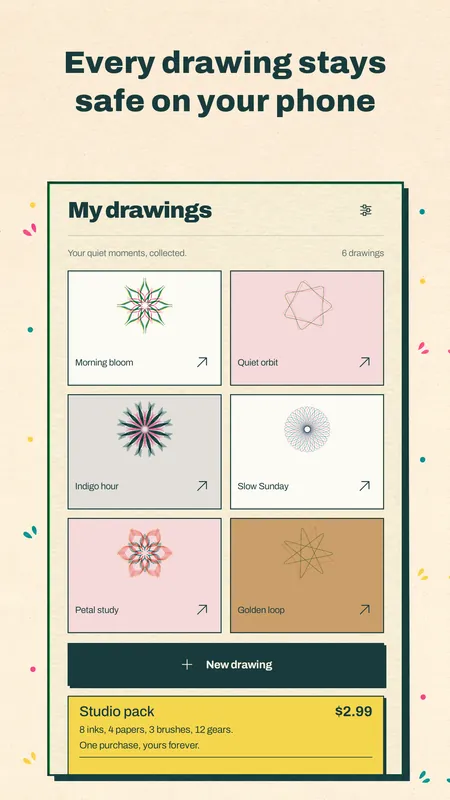
Every drawing comes out looking like a risograph print: bright inks, a little grain, and colors that overlap the way real ink does. Each ink prints as its own layer, and where two inks cross they mix. Draw on cream paper, or try black card for a glowing look.
Every drawing's saved on your phone. Open one later and keep going, share it, or save it to Photos as a large picture with no watermark.
Yes. Symmetry drawing, the spirograph with 6 gears, 4 inks, 2 papers, the gallery and saving to Photos are all free, and that's the whole app. There aren't any ads at all: not before you start, not while you draw, not when you save.
If you want more to play with, the Studio pack adds 8 more inks, including metallic gold and color gradients, 4 more papers, 3 brush textures and 12 more gears. It's one purchase, yours for good, and you can restore it on a new phone.
No. It works offline, and you don't need an account or a sign in. There's no tracking either. Sound, vibration and reduced motion each have their own switch.
Can't decide what to eat or who goes first? Pick a ready made wheel or build your own, then spin.

Pick a week or draw an envelope, tap to save and watch the jar fill up. Do 52 weeks, 100 envelopes or your own goal.
A feet, inch and fraction calculator that keeps exact fractions. Pro adds stairs, rafters, concrete and six more tools for $6.99 once.