


Bouncy Journey
Platformer
Run and jump across floating islands as Fox, Wolf or Lizard. Ten levels, each with hidden coins and three stars to earn.
Bingo caller · Android
Bingo night and nobody wants to call the numbers? Put the phone on the table. It draws each ball, says it out loud and shows the full board, so the whole room can follow along.
Latest version 1.0.0, November 2026Page updated 20 November 2026
Family nights at home, classrooms, clubs and care homes. There's no money in it and there are no prizes. It calls numbers and checks cards, and that's all it does.
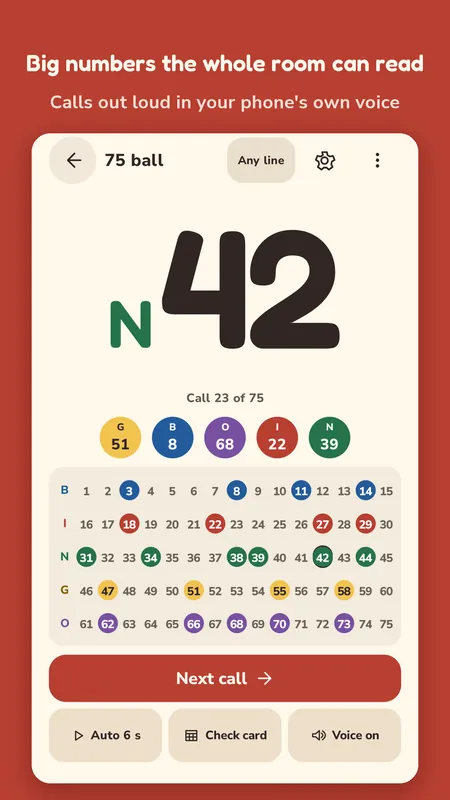
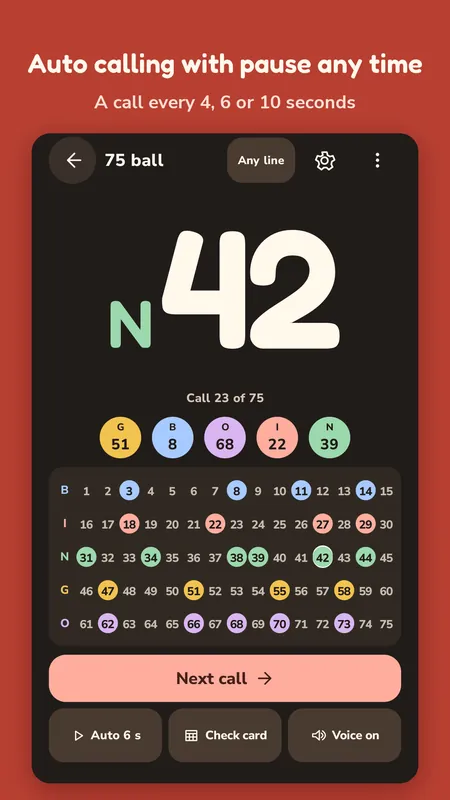
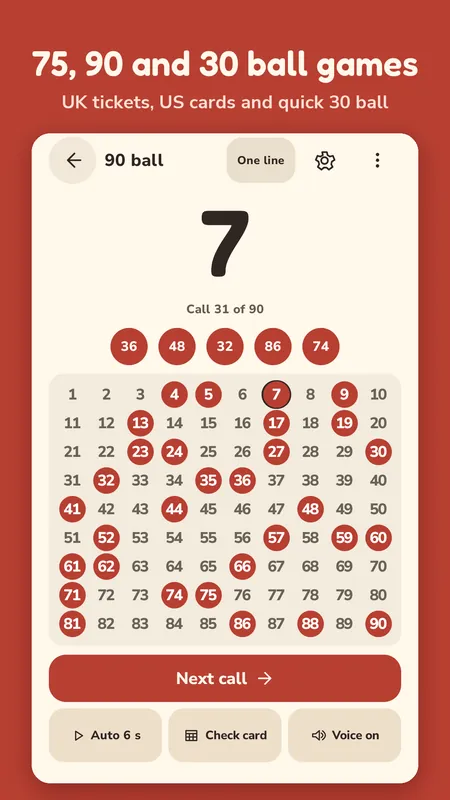
The current call fills the top of the screen, like N 42, with the letter in its own colour. Under it you get the call count and the last five balls, then the whole board with every called number filled in. Someone asks when 27 came up? Tap it on the board and you'll see.
Turn the phone or a tablet sideways and you get a huge number with the full board next to it. That view works well when you cast the screen to a TV.
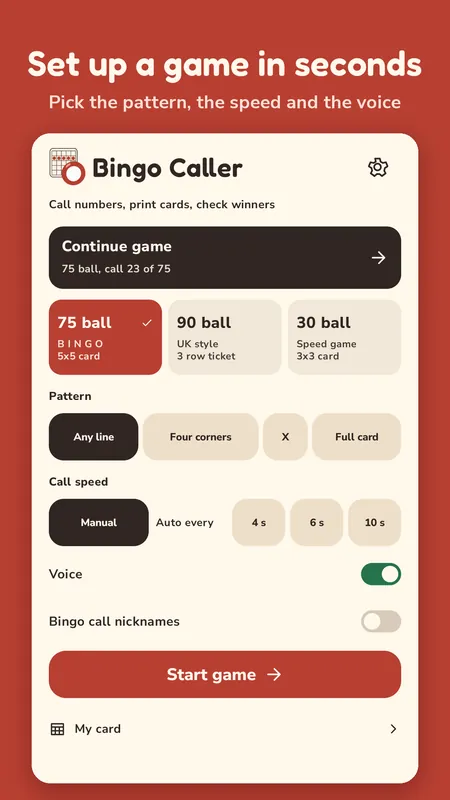
Tap Next call for each ball. Or switch on Auto and it draws by itself every 4, 6 or 10 seconds, or any gap from 3 to 15 seconds you like. Pause is always one tap away. Auto also stops on its own when you leave the app or open Check card, so it never runs ahead while you're checking a winner.
Every ball comes up once and only once.
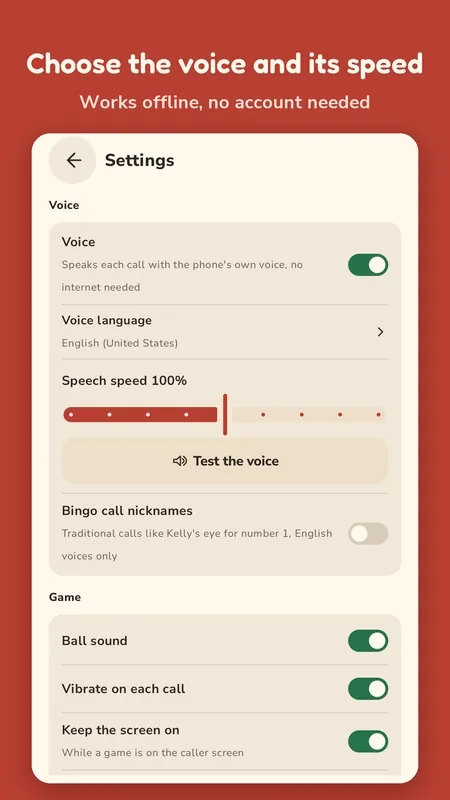
Calls are spoken with your phone's own text to speech voice. There's nothing to download and you don't need the internet. Pick the voice language and the speed, and tap the big number to hear it again.
If you like the old calls, switch on the nicknames and you'll hear things like Kelly's eye for number 1. And if your phone has no voice installed, the app shows you how to add one and keeps calling in silence until you do.
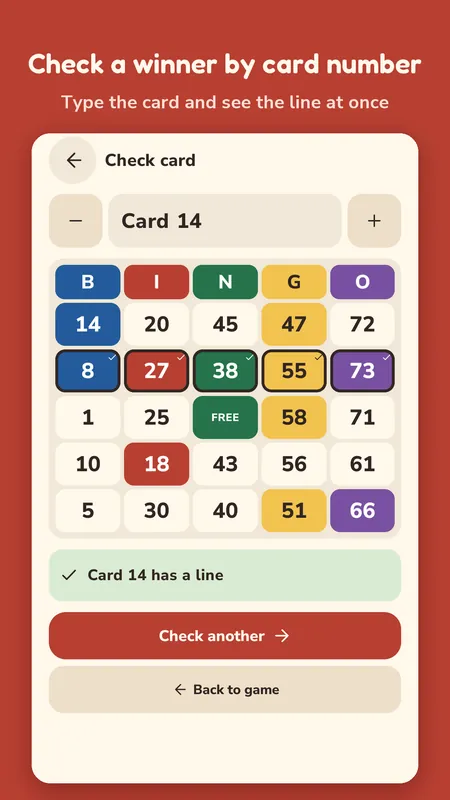
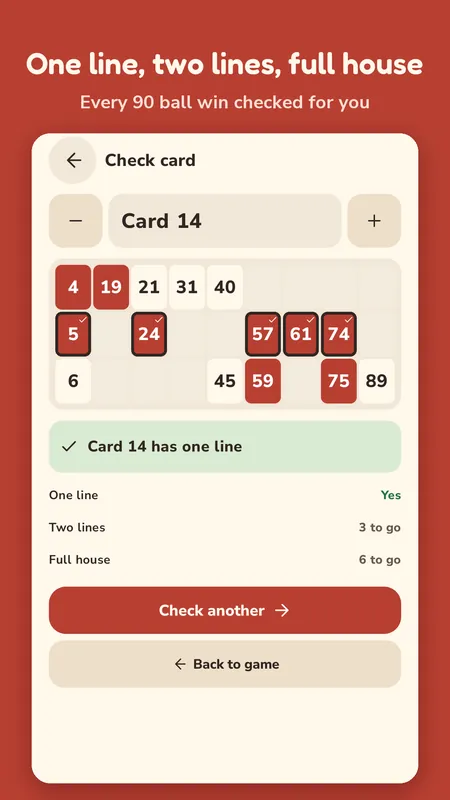
Every card has a number from 1 to 999. When someone shouts bingo, tap Check card and type their card number. The app marks every called number on that card and tells you if it wins. If it doesn't, you'll see how many numbers it still needs.
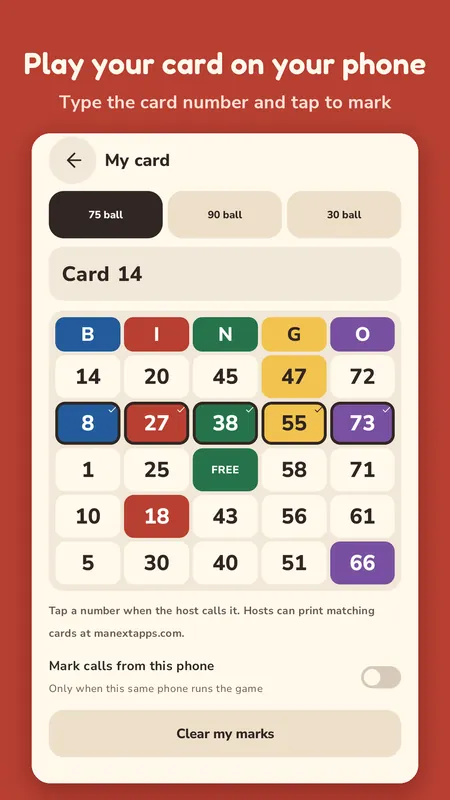
Players can also open My card on their own phone, type their card number and tap the numbers as they're called.
Need paper cards? The bingo card generator on this site prints up to 100 at a time, and card 14 there is the same card 14 the app checks, so a printed card can still be checked by its number.
A card number isn't a random pick. The game type and the number go into a fixed generator, so card 14 in a 75 ball game has the same 25 squares on every phone, today and next year. That's why a player only has to say a number when they shout bingo.
Card 14 in a 90 ball game is a different card from card 14 in a 75 ball game, and each game type has 999 of them.
The calls work the other way round. When you tap Start game, the app shuffles every ball once with your phone's secure random source and keeps that order. Undo only steps back one place, so the ball you took back is the very next call again and nobody's card goes out of sync.
Your game is saved after every call, so a closed app or an incoming phone call never loses it. You can undo the last call, with a confirm step first. The screen stays on while a game runs. There are light and dark themes, and you can turn off the ball sound and the vibration.
It's free to download. A small banner sits at the bottom of the home and caller screens. A full screen ad can show between games, never during one, never before your first game is over, and at most once every 10 minutes. Remove ads is a one time $2.99 purchase in Settings, and it comes back on another phone with the same Google account.
Yes. The draw, the voice, the board, Check card and My card all run on the phone, and there's no account. Only the ads and the remove ads purchase need a connection.
The screens are in English. The voice can be any language your phone's text to speech has installed: pick it under Voice in Settings, and set the call speed anywhere from 60 to 140 percent. The old nicknames only play with an English voice.
No. It only calls numbers and checks cards.
Check them one after the other. Type the first card number, read the result, tap Check another and type the second.
Run and jump across floating islands as Fox, Wolf or Lizard. Ten levels, each with hidden coins and three stars to earn.

Say a word with the letters, then pass the phone before the bomb goes off. It's a party game for 2 to 12 players on one phone.

Wait for green, then tap. There are six test modes and a two player duel, all timed to the screen refresh.