

Decision Wheel
Decision maker
Can't decide what to eat or who goes first? Pick a ready made wheel or build your own, then spin.

Size chart · Android
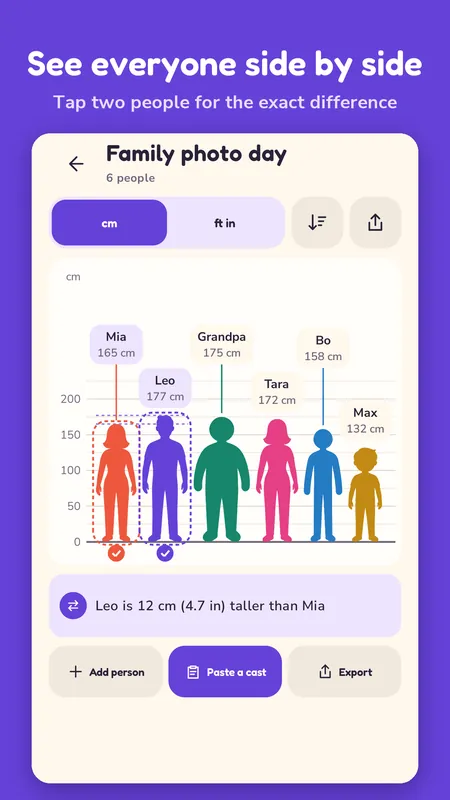
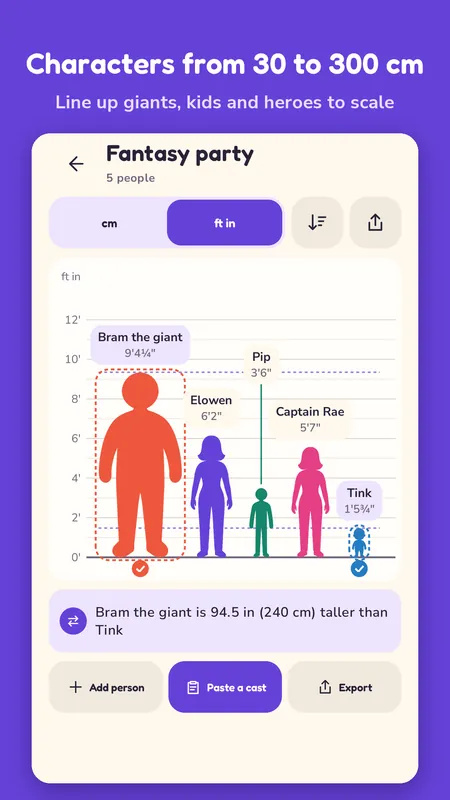
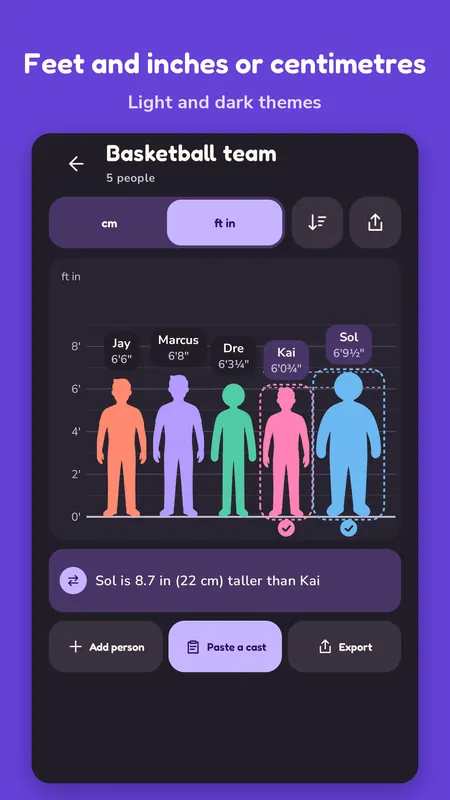
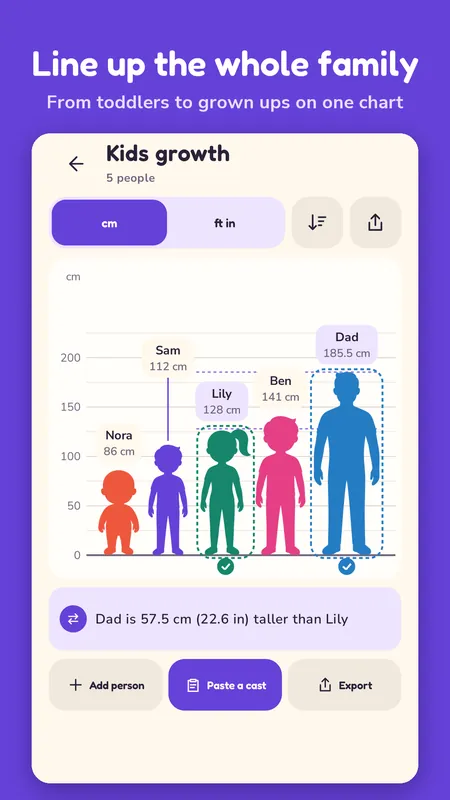
Type a few names and heights and see everyone standing on the same floor line, to scale, with a ruler beside them. The height difference is right there at a glance.
Latest version 1.0.0, November 2026Page updated 20 November 2026
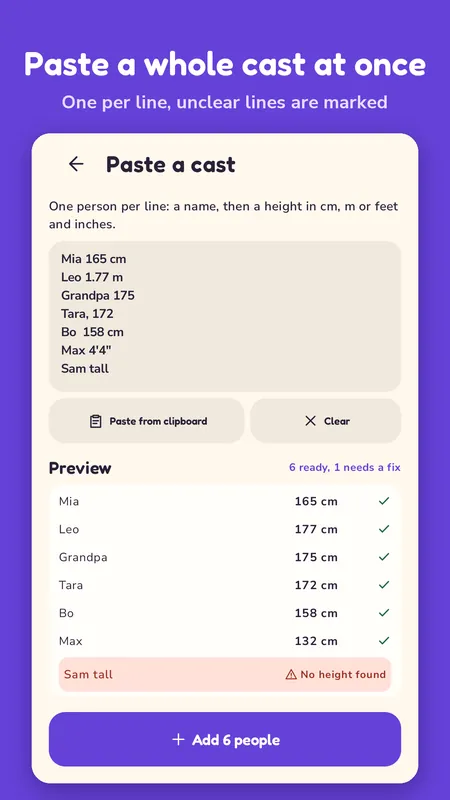
This is the part I built the app around. Copy a list from your notes, one person per line, and paste it in. For example:
The app reads every line and shows you what it understood. Lines it couldn't read are marked with the reason, like No height found. Fix those, tap Add, and the whole lineup appears.
It understands 165 cm, 1.65 m, 5'5", 5 ft 5 in and a plain 165. A comma or a tab after the name works too, so a list copied out of a spreadsheet goes straight in.
Each line is read on its own. The app looks for a height at the end of the line first and then at the start, so "Mia 165 cm" and "165 Mia" both work. Bullets and list numbers at the front are dropped, and the curly quotes a notes app likes to insert still count as feet and inch marks.
The limit of 30 people counts everyone who's already in the lineup. Paste ten lines into a lineup of 25 and the first five good ones go in, while the rest are marked Lineup is full.
Heights are kept in cm, and they're shown to the nearest half centimetre or quarter inch, so 177 cm reads as 5'9¾".
Tap two people and the app tells you, for example, "Leo is 12 cm (4.7 in) taller than Mia". Both get a dashed outline and a check mark, and the chart draws a line at each head height so you can see the gap too.
Couples and friends who want to see the height difference for real. Parents lining up the kids. Writers, artists and game masters who want to see how their characters stand next to each other before they draw a scene.
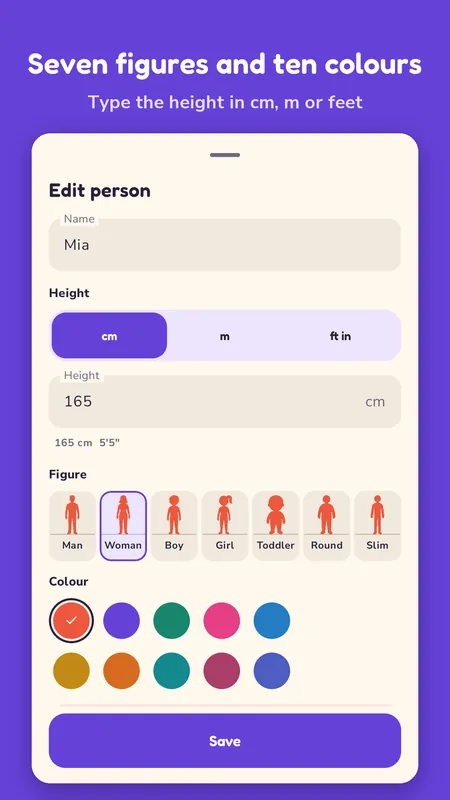
Only adding one or two people? Add them one at a time and type the height in cm, m or feet and inches.
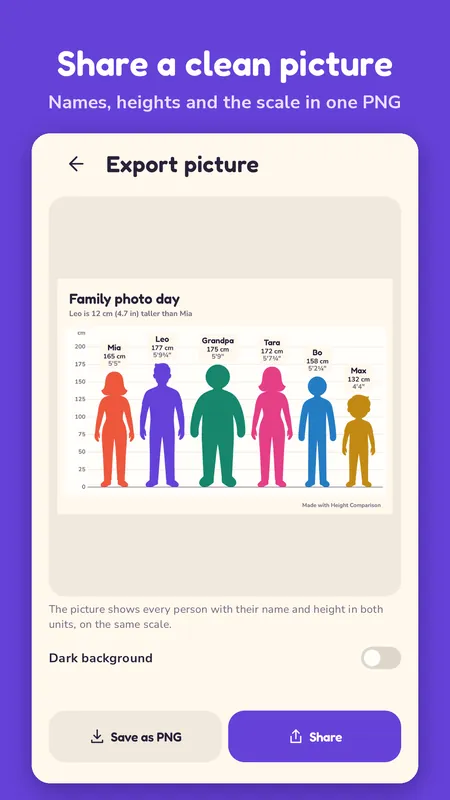
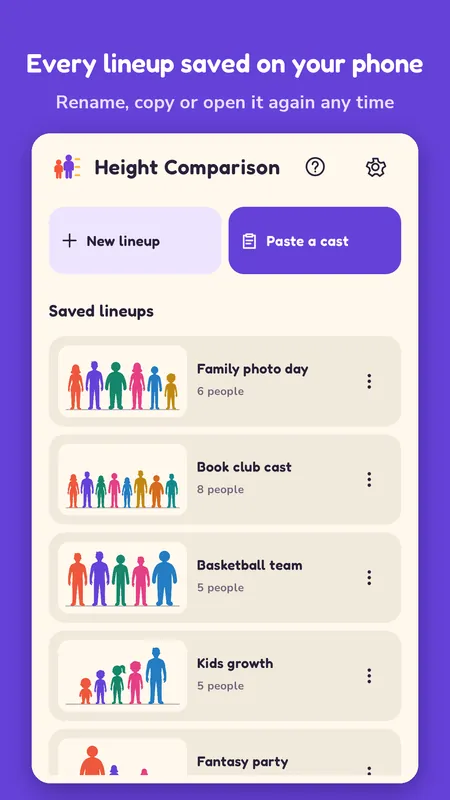
Every lineup is saved on your phone with its name, so you can come back to it later, rename it or make a copy. Export turns a lineup into a clean PNG with the title, the scale and every name and height, on a light or a dark background. The picture is at least 1440 pixels wide and grows up to 4200 for a long lineup, so names stay readable. Send it to a chat or save it to your files.
No. It's a size comparison tool, not a measuring app. The heights are whatever you type in, and the app doesn't use the camera at all.
It's free to download. A small banner sits at the bottom of the home screen and the lineup screen. A full screen ad can show at most once per visit, and only after you've exported a picture and gone back to your saved lineups. Remove ads is a one time $2.99 purchase, and you can restore it on another phone.
Neither. There's no sign in, and pasting, the chart, saved lineups and export all work offline. Your lineups stay on your phone. Only the ads and buying Remove ads need the internet.
Only English for now. Heights are a different story: cm, m, and feet and inches all work, even mixed in one list.
Yes. Each line is read on its own, so 165 cm on one line and 5'5" on the next both work. Switch the chart to whichever unit you like afterwards.
Can't decide what to eat or who goes first? Pick a ready made wheel or build your own, then spin.

Pick a week or draw an envelope, tap to save and watch the jar fill up. Do 52 weeks, 100 envelopes or your own goal.

A feet, inch and fraction calculator that keeps exact fractions. Pro adds stairs, rafters, concrete and six more tools for $6.99 once.